I Built a Sports Betting Tracker Without Writing a Line of Code
I used AI coding tools to build a full web app without writing a single line of code — all to track how bad I am at sports betting. Bets by Mitch will show you just how poorly I’ve been doing. No matter how you cut it, I am most likely down money.
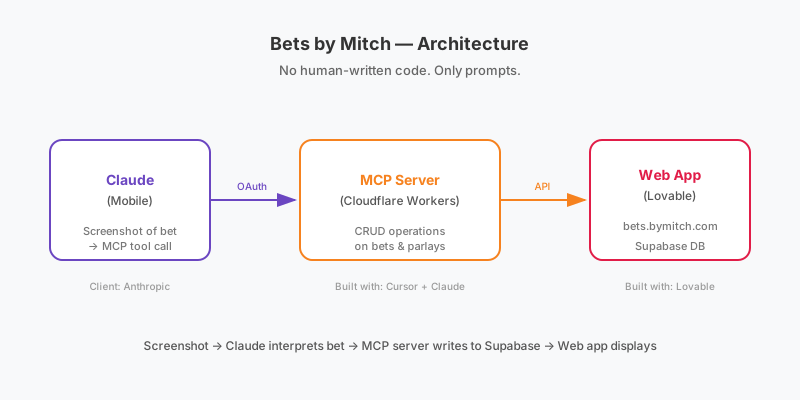
To build this I used Lovable and a remote MCP server hosted on Cloudflare that was built by Cursor + Claude.
The Website
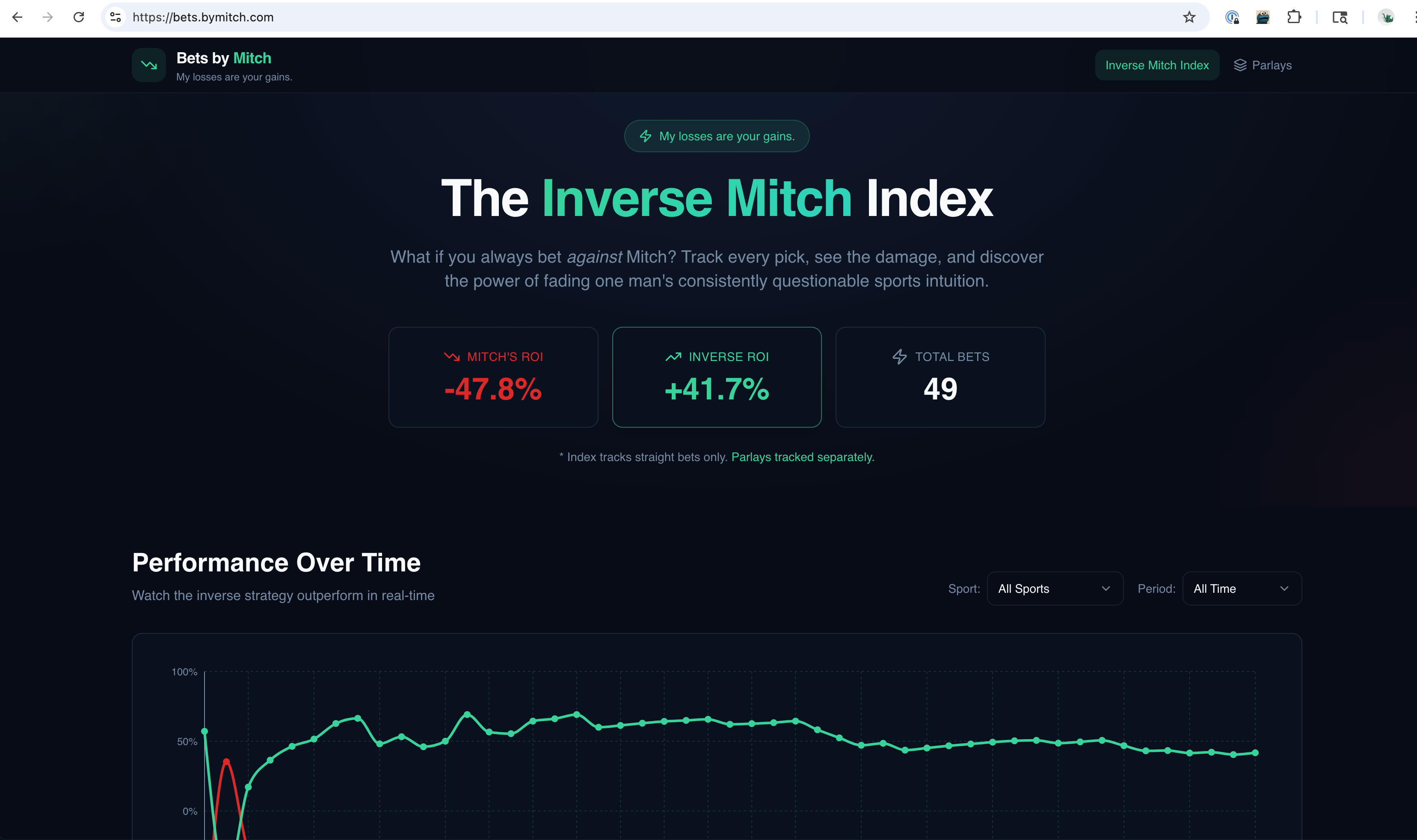 I gave Lovable a single prompt and it essentially built the whole site in one go. I was very happy with the design and the simple features it developed. I ended up iterating for a bit to build out a separate “parlays” view, an admin console, and provide API docs (more on that later).
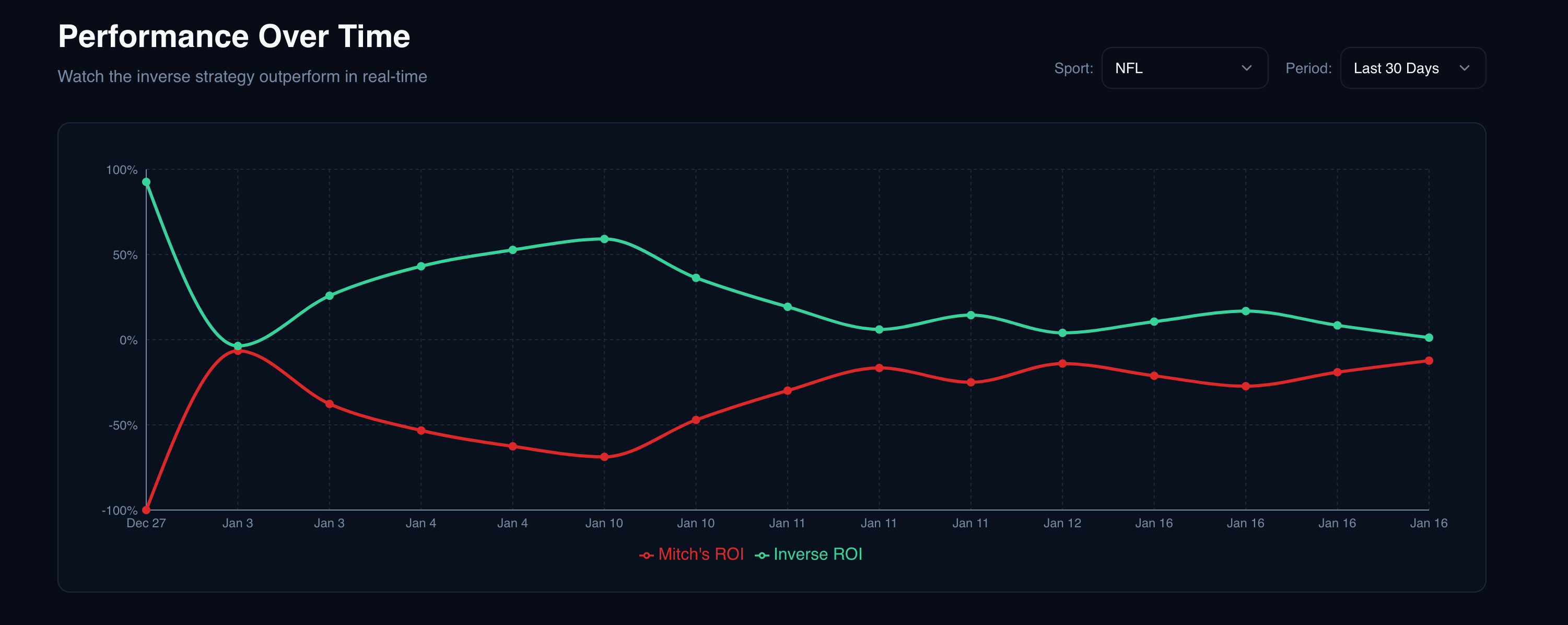
Here we can see it provided a graph showing historical performance that can be filtered by both time and sport! Football ended up being my best sport.
The parlay view was built after a couple more prompts.
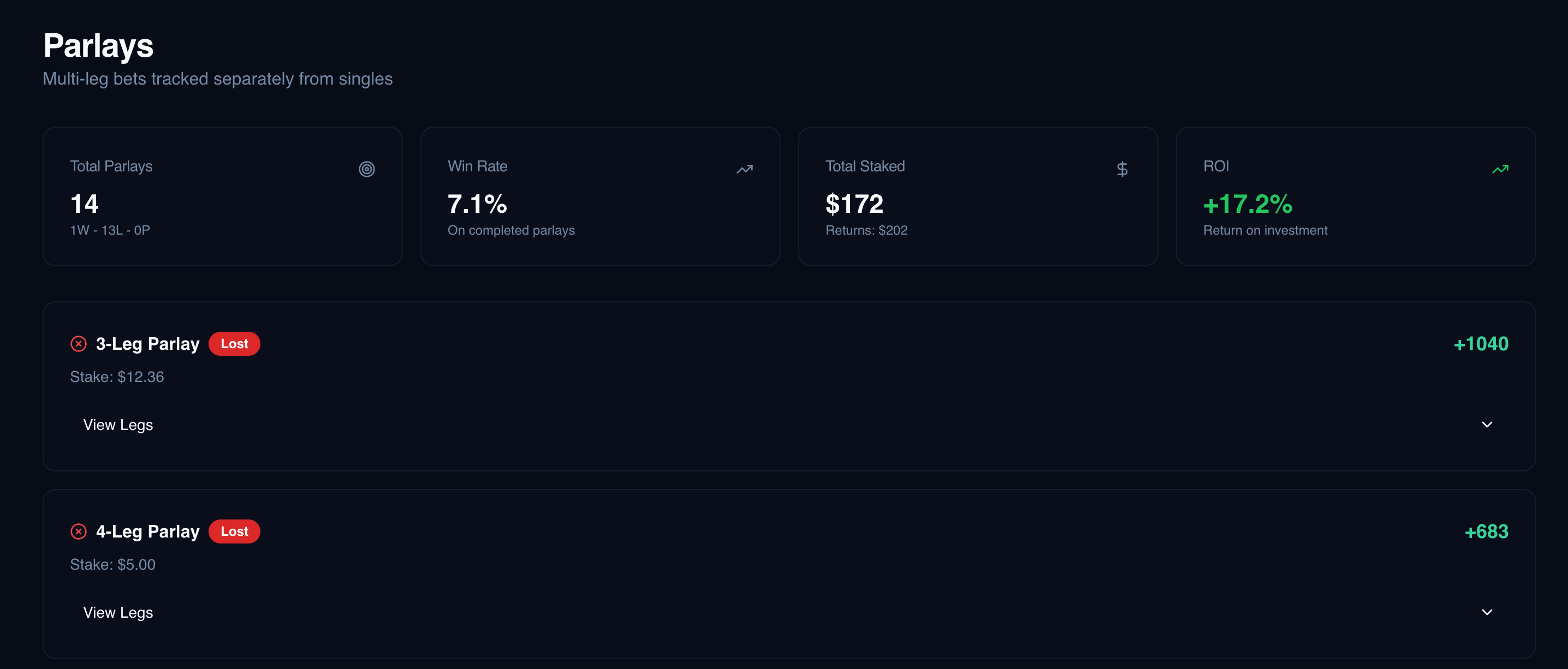
Some recent bets.
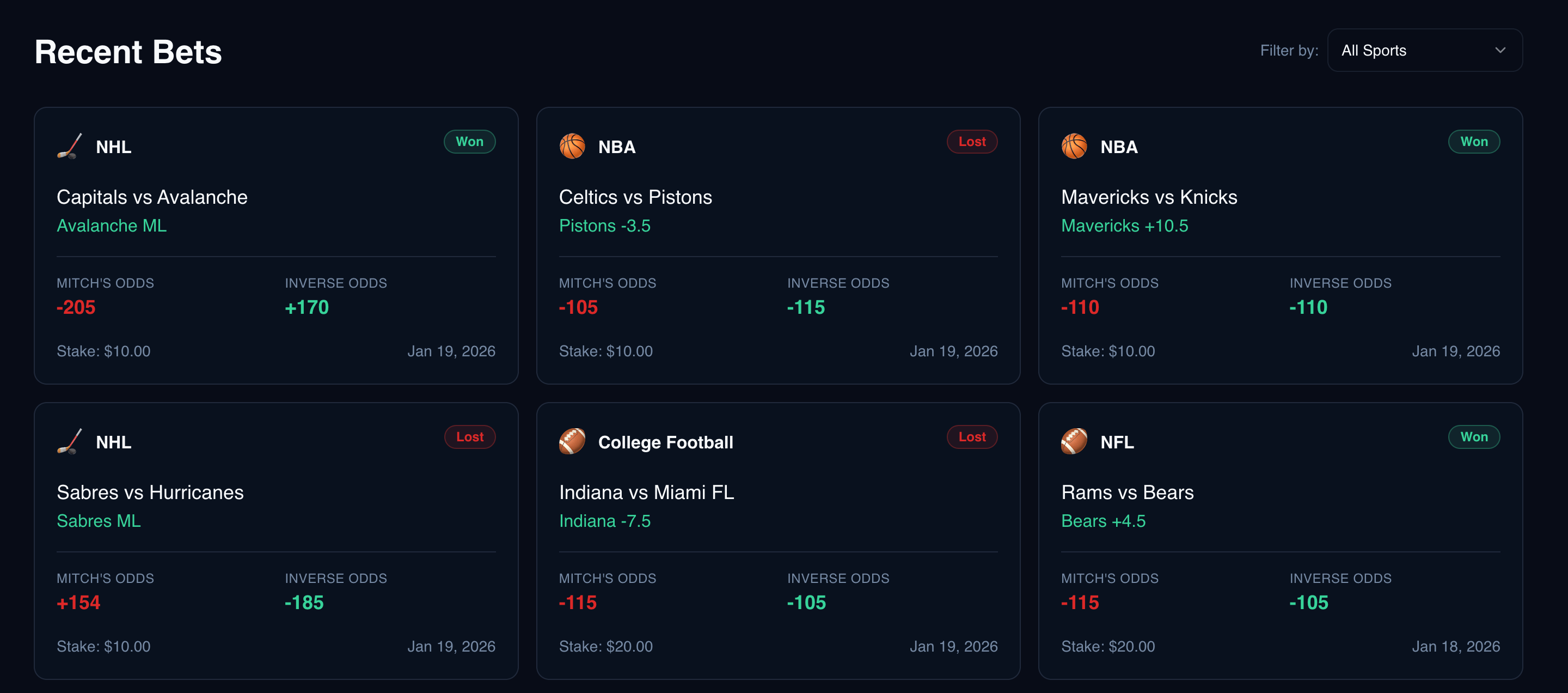
Now I have not had to work on front-end code professionally day to day in a few years, but from what I can tell the code it produced was suitable React code. The code base had reusable components, leveraged hooks, didn’t overdo it and introduce something like Redux when it was unnecessary. I was okay with it. Behind the scenes the data store it looked to use was backed by Supabase.
Building an MCP Server
However, I did find it burdensome to add bets through the admin console Lovable built. This is something else that an AI can do for me. So I asked Lovable to expose an API for CRUD actions on bets and parlays. Here it did create a public API along with some API docs.
Now I wanted to build an MCP server on top of this API. So I followed the instructions for Cloudflare’s remote MCP servers. Or maybe more accurately Cursor + Claude Opus 4.5 followed the instructions. I asked Cursor to put the server behind OAuth and follow the API docs provided by Lovable to write an MCP server.
Using the MCP Server
Next I needed to leverage that MCP server with a client. First, I tried ChatGPT. Getting the MCP server connected wasn’t extremely straightforward and there were a few hiccups. Probably more user error than anything, but the UX felt clunky. Claude, by Anthropic (the creators of the MCP protocol), made the integration very straightforward. Unfortunately, custom “connectors” are paywalled behind the pro plan, but the setup is easy.
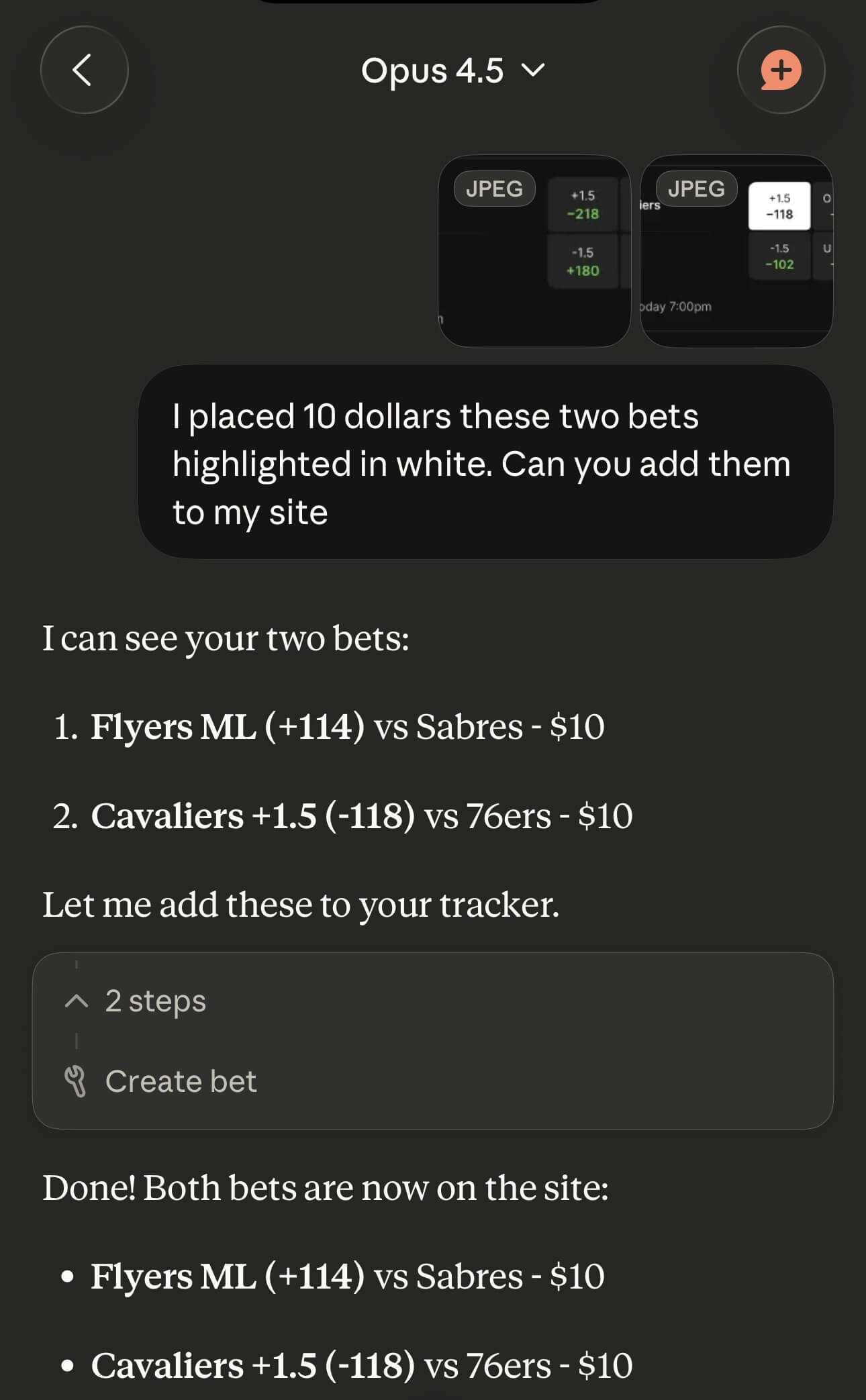
Adding a bet to my website is now as easy as sending Claude a screenshot of the bet on mobile and the LLM does the rest.
Conclusion
This web app has no code written by a human. I only entered prompts. In the near term, these tools change how teams can work. Product managers can whip up a quick Lovable PoC instead of a back and forth on Slack with some vague instructions because the ticket was empty. Non-engineers at early stage startups can build their own internal tools.
Next Steps
I don’t think I’ll add on much more to Bets by Mitch or place many more bets. The data shows that I should stop betting immediately! Although from a tooling perspective it already seems like MCPs and Cursor are out of vogue. It’s now all about subagents and skills and Claude Code. So next I’ll find some new toy project to mess around with some other cool features.