DayTap - A Privacy-First Daily Check-in App
I, like everyone else, have been using AI coding tools. I recently wrote about a toy web page I built to show how bad I am at sports gambling. For that project I used Lovable and Cursor for different pieces. By the time I was done, they already felt out of vogue. So I wanted to find a new project to build with Claude Code. When I ran across an FT article about a viral Chinese app called “Are You Dead?”, I thought it was a perfect candidate. The app is dead simple. You click a button once a day and if you miss a day it sends a notification to your configured contact. I am not familiar with iOS development, but I am a software engineer with 8 years of experience, so I thought I could put Claude Code to the test by building an iOS app similar to “Are you Dead?”.
A quick product overview
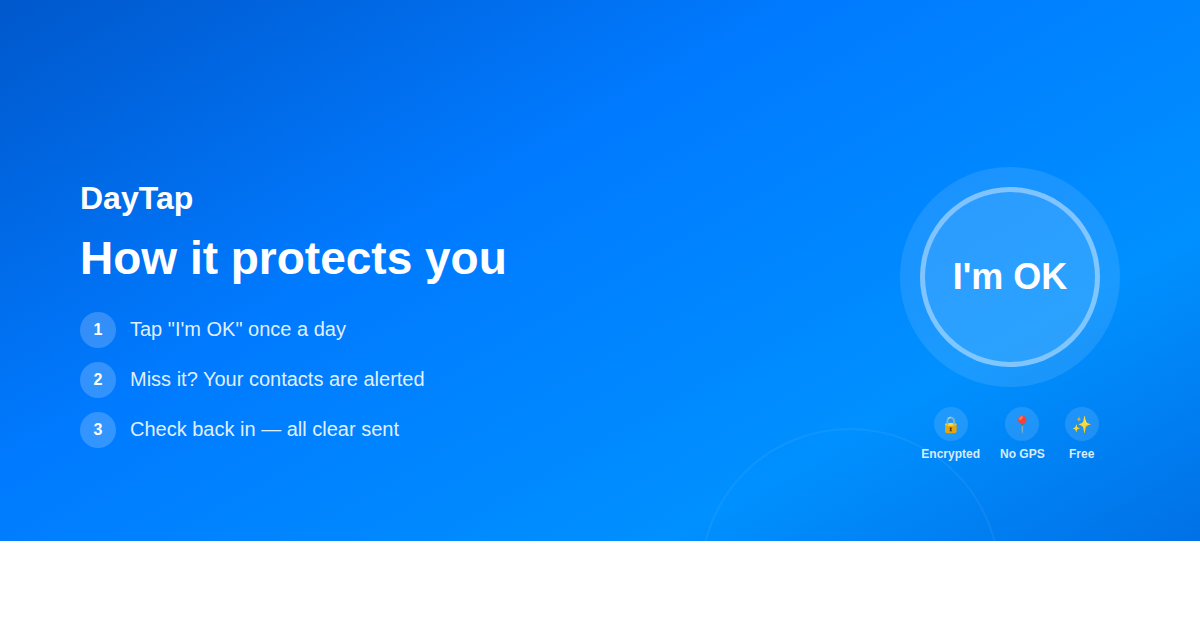
The core of the user experience is pretty simple. You add a couple contacts, you click a button, if you haven’t clicked the button after a certain amount of time, say 48 hours, notifications are sent out to any contacts you have configured. The “How it works” page on the website also has a quick walkthrough with some screenshot examples that help explain the app.
Where it gets interesting is when you consider which persona to build for first. A few options came to mind:
- Antisocial solo dwellers
- Adults who are interested in keeping non-invasive tabs on their elderly parents or kids at college
- Those interested in a dead man’s switch.
I myself fall in the first camp. I have actually thought if something happened to me in my apartment, someone may not realize for days. So that’s an easy first choice. With that said, I thought it’d be most interesting to build a product for the third group.
The result
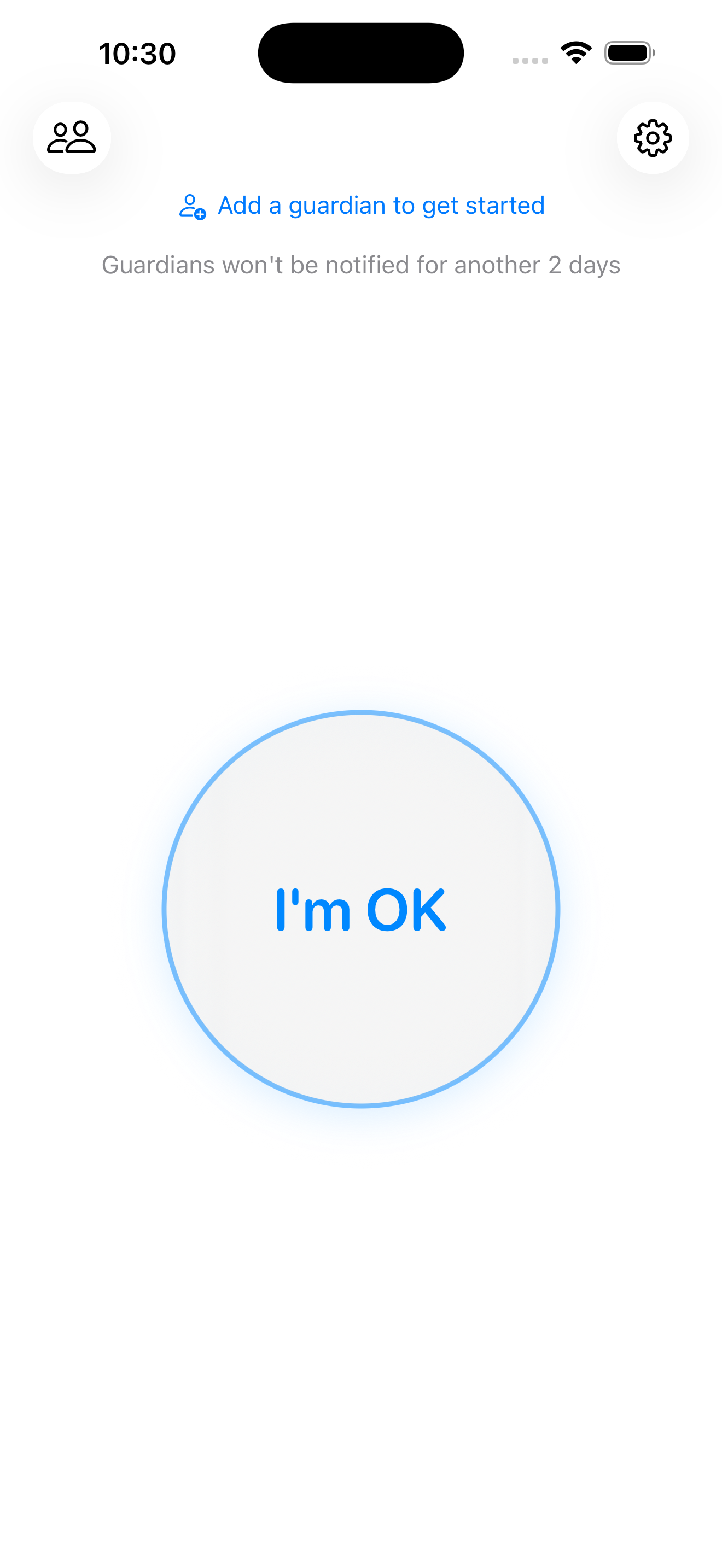
I (or really Claude Code with Opus 4.5 initially and more recently Opus 4.6) built the iOS app with Swift. It features a simple button to state you’re OK, has some CRUD actions for managing your “guardians” or points of contact, and exposes some user settings like configuring your check-in window.
I thought the implementation here was ok, but I’m not an iOS developer. So I don’t know any better. One thing I found useful to increase my confidence in the implementation was to create a skill called “product-team-review”. This kicks off a review from a number of subagents representing the roles on a product team. These include:
- Product Manager
- Product Designer
- Data Analyst
- User Researcher
- Tech Lead
- Test Automation Engineer
- Security Engineer
After I added these reviews, I felt the feedback and subsequent code from the LLM improved. When the subagents focused on specific roles and responsibilities they caught more. Topics surfaced that I may have missed given my lack of familiarity with Swift, but framed them in a way that I could easily weigh in by leaning on my experience in other domains.
Quick overview of the backend
In my experience with the AI tools they seem to really play well with serverless developer platforms. So that’s what I leveraged here.
┌─────────────────────────────────────────────────────────┐
│                 Serverless Edge Platform                │
│                                                         │
│   ┌────────────────┐       ┌──────────────────────┐     │
│   │   API Server   │──────▶│  SQL Database        │     │
│   │  - API routes  │       │  PII encrypted       │     │
│   │  - Auth        │       │  at rest             │     │
│   │  - Webhooks    │       └──────────────────────┘     │
│   └───────┬────────┘                                    │
│           │                                             │
│   ┌───────▼────────────────────────────────────────┐    │
│   │          Asynchronous Workflows (4)            │    │
│   │                                                │    │
│   │  AlertWorkflow         Guardian notifications  │    │
│   │  AllClearWorkflow      Check-in: all-clear msg │    │
│   │  ReminderWorkflow      Push notifications      │    │
│   │  VerificationWorkflow  New guardian → verify   │    │
│   │                                                │    │
│   │  Automatic retries · state persistence         │    │
│   └────────────────────────────────────────────────┘    │
│                                                         │
└─────────────────────────────────────────────────────────┘
         │            │            │            │
         ▼            ▼            ▼            ▼
     ┌────────┐  ┌────────┐  ┌────────┐  ┌──────────┐
     │ Resend │  │ Twilio │  │  APNs  │  │ Telegram │
     │ Email  │  │  SMS   │  │  Push  │  │ Bot API  │
     └────────┘  └────────┘  └────────┘  └──────────┘
I wasn’t too interested in diving deep into the backend CRUD actions. So this was a place I delegated more responsibilities to the LLM. I created detailed GitHub issues for the tasks (with Claude’s help) then used another skill I created called “implement” to tackle the tasks. The implement skill would kick off a simple workflow of 3 subagents to plan –> code –> PR the change with human approval gates after each step. Creating many git worktrees for the repo allowed me to implement tasks in parallel. This sped up more generic boiler plate type tasks.
Privacy & Security Concerns
This is where things got fun. Since I am building for the “dead man’s switch” persona, I thought my hypothetical users could be very cautious with their data and privacy. So I built with that as a first principle. DayTap is serious about privacy — it only stores what is necessary, makes it easy for user data to be deleted, and ensures all PII is encrypted at rest.
The MARCOM page does not use analytics (the iOS app has anonymized events via PostHog), only the latest check-in data point is kept, but the interesting thing to explore is how the PII is stored.
Envelope Encryption
Most cloud providers’ default at rest encryption may help against someone stealing a physical hard drive from a data center, but it still has some weaknesses. There could be an insider threat with database access, a compromised backup, maybe a subpoena or government data request that your cloud provider complies with. To attempt to mitigate some of these things DayTap uses envelope encryption.
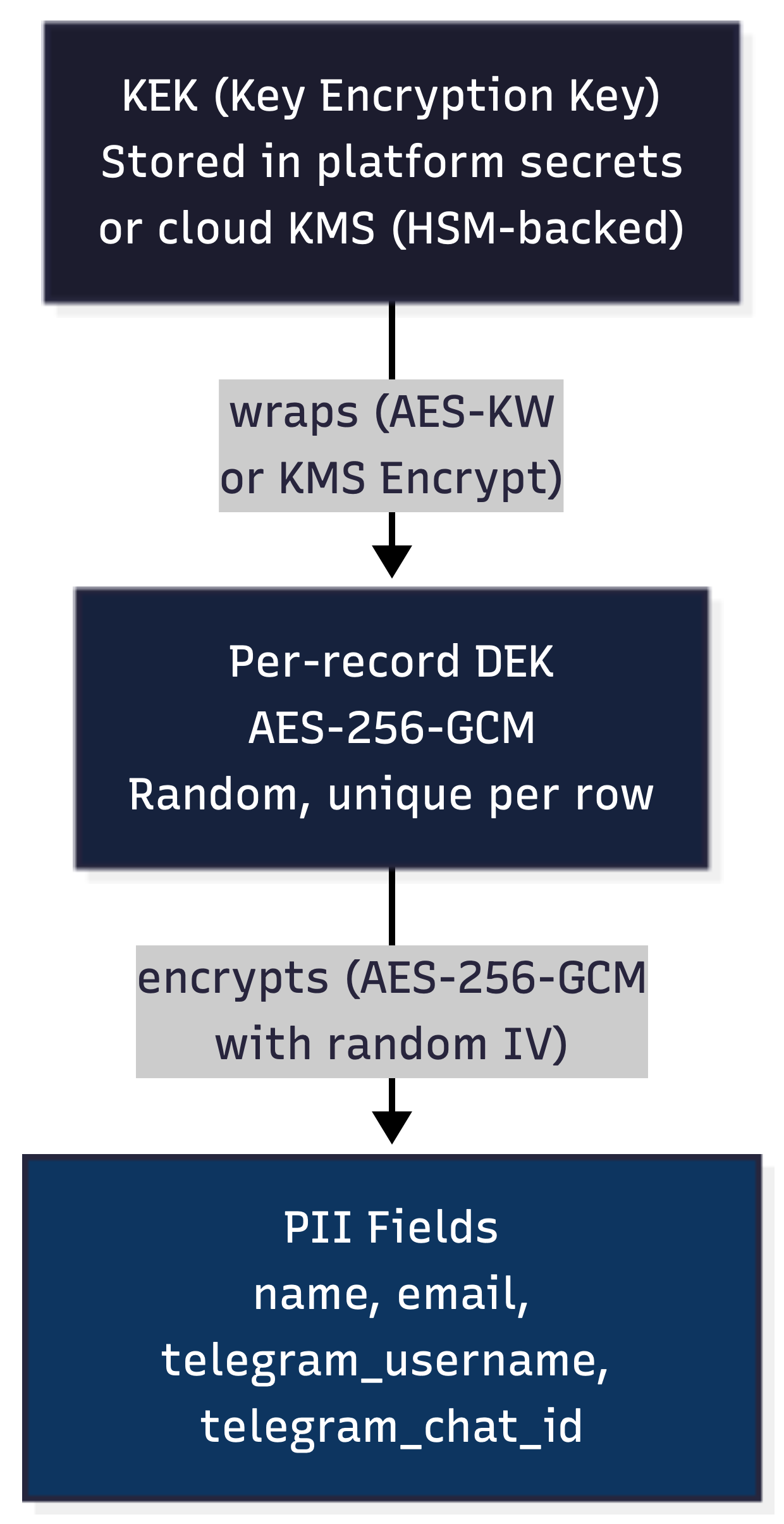
Every piece of PII is wrapped in its own Data Encryption Key (DEK) that is a random AES-256-GCM key. The DEK itself is then wrapped in a Key Encryption Key (KEK) and the DEK is stored alongside the PII. The KEK is stored in an HSM backed Key Management System (KMS) at a separate cloud provider than where the backend and DB live. This means the most realistic path to obtaining the plaintext data would require a compromise of the accounts at two separate cloud providers. This encryption scheme protects data at rest, but it introduces a new problem — if every value is encrypted with a unique key, how do you actually look anything up?
enrollee table:
┌──────────┬──────────────────────────────────┬──────────────────────────────────┐
│ id       │ name                             │ wrapped_dek                      │
├──────────┼──────────────────────────────────┼──────────────────────────────────┤
│ uuid-1   │ aGVsbG8gd29ybGQ=... (encrypted)  │ kms:CiQA3v7...  (KMS-wrapped)    │
│ uuid-2   │ Zm9vIGJhcg==...    (encrypted)   │ kms:DiRA4w8...  (KMS-wrapped)    │
└──────────┴──────────────────────────────────┴──────────────────────────────────┘
Blind Indexes
When you encrypt sensitive data like phone numbers and email addresses at rest, you lose the ability to query it. You can’t ask the database “find the user with email [email protected]” if that email is encrypted with a unique key. Decrypting every row to check would be slow and expensive. To solve for this, you may reach for blind indexes.
Simple blind index implementation
To start, let’s cover a simple blind index implementation before covering what is done at DayTap. Blind indexes create a one-way deterministic fingerprint of the plaintext data. Let’s say this implementation uses HMAC-SHA256 — the HMAC hash is stored alongside the encrypted value. This ensures typical business logic like querying by email can be preserved even when all of our data is encrypted at rest.
                        ┌─────────────────────────────────────┐
  Email                 │           Database Row              │
  "[email protected]"   │                                     │
       │                │  email: AES-256-GCM(...)            │
       │                │  (encrypted, unreadable)            │
       ├───► AES-GCM ──┼──────────────────────────────►       │
       │    encrypt     │                                     │
       │                │  email_hash: a7c3f9...              │
       └───► HMAC ──────┼──────────────────────────────►      │
            SHA-256     │  (blind index, searchable)          │
                        └─────────────────────────────────────┘

  ── Later: "Which user has email [email protected]?" ──

  Incoming: "[email protected]"
       │
       └───► HMAC ──────► a7c3f9...
            SHA-256
                              │
                    SELECT * FROM enrollee
                    WHERE email_hash = 'a7c3f9...'
                              │
                         ┌────▼────┐
                         │ Match!  │ ──► Decrypt email
                         └─────────┘     with record's DEK
This HMAC key can only be used to produce hashes, not decrypt any actual data. So this key being exposed does not yet compromise your data. Hypothetically, if the database and the HMAC key itself were compromised, a threat actor could perform a dictionary attack where they tried to hash many emails or names using the compromised HMAC key until they produced hashes that matched the values found in the database. With HMAC-SHA256, this would be a relatively trivial exercise. This is the same reason security experts recommend algorithms like Argon2 for password hashing — they make brute-force attacks orders of magnitude more expensive.
How blind indexes work at DayTap
The blind index computation for DayTap leverages a few practices to provide some defense in depth. To start, the blind index computation is split across two independent services.
- The main serverless function applies HMAC-SHA256 using its own secret key, producing a keyed intermediate value
- That intermediate is sent to a separate Argon2 serverless function, which applies Argon2id with its own secret pepper to produce the final blind index
  ┌─────────────────────────┐        HMAC output       ┌─────────────────────────┐
  │  Main Serverless Func   │      (no plaintext)      │ Argon2 Serverless Func  │
  │                         │ ─────────────────────►   │                         │
  │  Secret: HMAC_KEY       │                          │  Secret: PEPPER         │
  │  Operation: HMAC-SHA256 │   ◄───────────────────── │  Operation: Argon2id    │
  │                         │        full hash         │                         │
  └─────────────────────────┘                          └─────────────────────────┘
The main serverless function never sends plaintext to the Argon2 serverless function — only the HMAC output. Neither service alone can compute the full index. This gives us the following:
Slow hashing — Argon2id is intentionally expensive to compute. Unlike HMAC-SHA256 which can process billions of hashes per second, Argon2id limits an attacker to thousands, turning a minutes-long dictionary attack into one that takes months or years.
Memory hardness — Argon2id requires significant memory per computation, making GPU-based parallelization more impractical. An attacker can’t simply throw more hardware at the problem the way they can with CPU-only hash functions.
Split trust — The blind index computation is split across two independent services with separate secrets. Compromising the main serverless function’s HMAC key isn’t enough — the attacker still needs the Argon2 function’s pepper. Compromising the Argon2 function isn’t enough either — it never sees plaintext, only HMAC output. An attacker would need to compromise both services and the database simultaneously.
Next, after obtaining this hash, rather than storing the full hash, DayTap only stores a prefix of the blind index. This means our business logic could return a small number of candidate rows we decrypt instead of a single row in the simple implementation previously covered. So while your business logic needs to consider this, it makes things more difficult for an adversary. From an attacker’s perspective, even if they manage to brute-force the hash computation, each truncated index maps to multiple possible plaintext values — they can’t definitively determine which record belongs to which input.
  Main Service                          Argon2 Service
  ───────────                          ──────────────────────────────
  Holds: HMAC_KEY                      Holds: PEPPER

  Email: "[email protected]"
       │
       ├───► AES-GCM encrypt ──────►   Stored as encrypted email
       │                                (unreadable at rest)
       │
       └───► HMAC-SHA256 ──────────►   Argon2id(hmac_output, PEPPER)
             (keyed intermediate)             │
                                              ▼
                                        Final index: b84e1c...
                                              │
                                              ▼
                                        Truncated to: b84e...
                                              │
                                              ▼
                                        Stored as email_hash
                                        (searchable, ambiguous)

  ── Later: "Which user has email [email protected]?" ──

  Incoming: "[email protected]"
       │
       └───► HMAC-SHA256 ──────────►   Argon2id(hmac_output, PEPPER)
                                              │
                                              ▼
                                           b84e...
                                        (truncated index)
                                              │
                                    SELECT * FROM enrollee
                                    WHERE email_hash = 'b84e...'
                                              │
                                      ┌───────▼───────┐
                                      │ Bucket of     │
                                      │ candidates    │──► Decrypt each,
                                      │ (1-5 rows)    │    find exact match
                                      └───────────────┘
Final thoughts on Privacy and Security
Is all of this overkill? Probably. Does it make the app slower? Yes. For DayTap security is a first principle. Everything took a backseat to that, including performance.
This is honestly the area where I got the most value out of using Claude Code. It was nice having it just code the whole iOS app, but implementing these security features may have been a bit prohibitively time-consuming in personal projects before. Having Claude be a tutor to help inform me on what security solutions are out there is exactly what I’m looking for out of an AI assistant.
Wrapping up
The AI tools are really improving rapidly and even though I was skeptical this time last year, I am all in on them now. I am not really any better at iOS development today than I was yesterday. I could not whip up an iOS app in a short amount of time without AI help today. Although I do feel like I have some applicable learnings from exploring different solutions for user privacy and security with Claude that I can leverage in my career. Having an AI coding assistant in my mind provides enough value for me to want to always use one. I have been too afraid to run what is now OpenClaw to get a more generalized assistant, but maybe someday.
If you’re interested in checking out DayTap, the web-based landing page is here and a direct link to the iOS app is here. I’m going to continue to tinker on DayTap for some time. The plan is to build out some more features, double down on security and privacy a bit more, and maybe get an Android version going.
Now let me leave with a couple of complaints I want to throw out to the internet ether.
- I honestly feel like Opus 4.5 was better than Opus 4.6 at coding. I get frustrated with Opus 4.6 way more regularly, but I can’t find anyone on the internet that feels the same. So it might be a me problem.
- DayTap was banned in China for being a dead man’s switch app. What I don’t get is that it’s similar to a Chinese app referenced in the intro — why was that one not banned?